
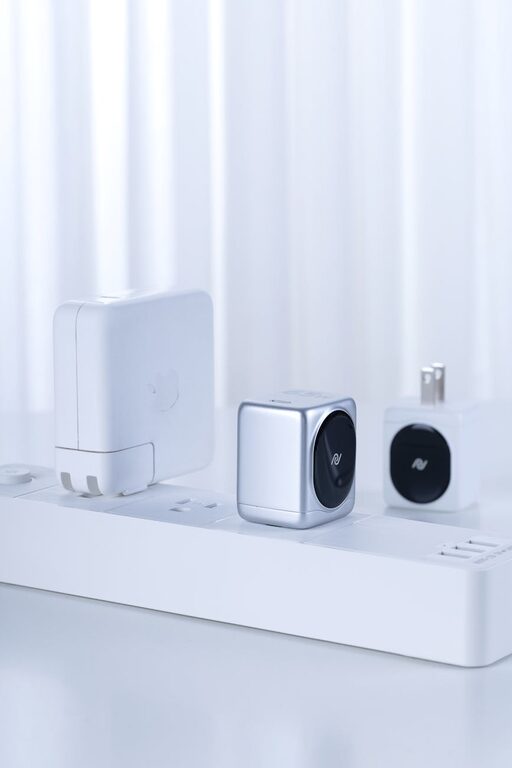
How to Set Up a Charging Station for Devices at Home
Setting up a dedicated charging station for your devices can simplify daily routines and keep your space neat. Whether you have smartphones, tablets, laptops, or other rechargeable gadgets, a well-organized charging station reduces clutter and ensures all devices are ready to use when you need them. In this guide, we’ll walk you through how to create a functional and stylish charging station at home.
Why Set Up a Charging Station?
With multiple devices charging at once, cords and chargers can quickly become tangled, and finding an available outlet might be a challenge. A charging station helps by:
– Centralizing all devices in one spot
– Reducing cable clutter
– Protecting devices from damage
– Improving charging efficiency
– Making your space look tidy
Choose the Right Location
Selecting an ideal spot for your charging station is the first step. Here’s what to consider:
– Accessibility: Pick a spot you frequently visit, such as a living room side table, kitchen counter, or bedroom nightstand.
– Electrical outlets: Ensure there are enough plugs nearby, or use a multi-outlet power strip.
– Ventilation: Avoid placing devices in enclosed spaces without airflow to prevent overheating.
– Safety: Keep the station away from water sources and high-traffic areas to prevent accidents.
Gather the Necessary Materials
Depending on your devices and preferences, you might need:
– Power strip/surge protector with multiple outlets
– USB charging hubs or multi-port chargers
– Charging cables compatible with your devices
– Cable organizers such as clips, ties, or sleeves
– A container, tray, or stand to hold devices
– Labels (optional) for easy cable identification
Setting Up Your Charging Station
Step 1: Clear and Prepare the Area
Start by tidying the chosen space. Remove unnecessary items to prevent crowding the station. Clean the surface to create a fresh work area.
Step 2: Arrange Power Sources
Plug in your power strip or multi-port charger close to the outlet. Preferably use a surge protector to safeguard your devices from power surges.
Step 3: Manage Your Cables
Connect your chargers and cables to the power source. Use cable organizers to keep cords from tangling or sprawling across the surface. Shorten long cables if possible to keep things neat.
Step 4: Organize the Devices
Place your devices on the charging station in a way that avoids stacking and allows ventilation. Use trays or stands to separate devices, especially if multiple gadgets need charging simultaneously.
Step 5: Label Your Cables (Optional)
If several family members use the station or you have multiple similar cables, labeling them can help quickly identify which charger belongs to which device.
Tips for Maintaining Your Charging Station
– Regularly check cables: Replace any frayed or damaged cords to avoid hazards.
– Keep it tidy: Make it a habit to unplug devices once fully charged and organize cables daily.
– Update charging equipment: Invest in chargers that support fast charging and multiple devices to improve efficiency.
– Avoid overloading outlets: Make sure the total wattage doesn’t exceed the power strip’s limit.
– Customize your station: Decorate or personalize the area to fit your home’s style and make charging time pleasant.
Popular Charging Station Options
Here are a few ideas to inspire your setup:
– DIY Wooden Stand: Build or buy a wooden stand with slots for devices and holes for cables.
– Multi-Port USB Hubs: These hubs charge several devices simultaneously from one outlet.
– Docking Stations: Designed for specific devices, these docks charge and sync your gadgets with a computer.
– Charging Drawers or Boxes: Conceal chargers and cables inside a stylish box to hide clutter.
Conclusion
Creating a charging station at home is an easy way to organize your tech and keep your devices powered up. By selecting a convenient spot, gathering the right supplies, and managing cables effectively, you’ll streamline your daily routines and maintain a tidy space. Whether you prefer a minimalist design or a more comprehensive setup, your charging station will make life a little simpler.
Ready to get started? Gather your chargers and cables, pick your spot, and enjoy a decluttered, efficient charging experience!
